React Localization SDK
SejHey provides a complete SDK for React, giving you everything you need to localize your application — from in-context editing to CDN delivery and AI translations
Installation
1npm install @sejhey/react-i18nUsage
1import { SejheyI18n, SejHeyProvider, useTranslate, T }
2from '@sejhey/react-i18n'
3
4/* Create the i18n instance */
5const i18n = new SejheyI18n({ defaultLanguage: 'en' })
6  .useCdnLoader({ sejheyProjectId: 'XXXX-XXXX' }) // Fetch from SejHey CDN
7  .useInContextEditor({ sejheyProjectId: 'XXXX-XXXX' }) // Enable in-context editing
8  .useLanguagePicker() // Optional: add language picker
9
10/* Wrap your app with <SejHeyProvider> */
11export default function MyApp() {
12  return (
13    <SejHeyProvider i18n={i18n}>
14      <AnotherComponent />
15    </SejHeyProvider>
16  )
17}
18
19/* Now use translations like this */
20const AnotherComponent = () => {
21  const { t } = useTranslate()
22
23  return (
24    <>
25      <h1>{t('welcome_message')}</h1>
26
27      {/* Or if you prefer a component */}
28      <T keyName='welcome_message' />
29    </>
30  )
31}
Features
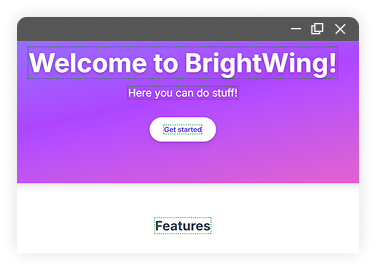
In context editor
Edit and create translations directly on your web page.
Static files
Export translations as static files and bundle them with your app for offline or self-hosted setups.
Lazy loading
Translation files are only loaded when you need them, improving performance in large apps.
AI Translations
Use our AI to generate high-quality translations and suggestions, with full context awareness.
Plurals
SejHey handles complex pluralization rules for every supported language automatically.

SSR for Next.js
Full support for server-side rendering in Next.js, ensuring translations load instantly on first render.
Built in CDN
Cloudflare powered CDN distribution for your translations with caching, versioning, and instant updates.
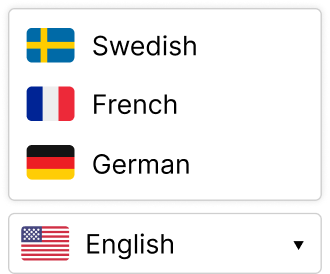
Language picker
A ready-made, customizable language switcher you can drop into your app.
Language detection
Automatically detect and load the user's preferred language based on browser settings or user preferences. Multiple options are available.
FAQ
+
How are translations created?
+
Where are translations stored?
+
Where are translations accessed in production?
+
Will my application be dependent on SejHey servers?
+
How can contributors access and modify translations?
+
How do I use the in-context editor?
+
Can I switch to another translation solution later?
SejHey.com
Translations made easy
© 2024 - 2025 SejHey | All rights reserved