AI Translation Assistance
Sejhey integrates powerful AI features to streamline the translation process, reduce manual effort, and improve quality. It uses OpenAI's GPT-4.1 model to understand context, tone, and formatting—delivering high-quality results across many languages.
Enabling AI
AI features can be enabled or disabled per project in the Settings. When AI is enabled, you can configure:
- Overall AI Translation Tone: A short label (max 25 characters) that guides the tone of AI-generated translations
- Default AI Translate on New Keys: Automatically translate new keys using AI when they are created
AI features must be enabled in project settings before they can be used. If AI is disabled, AI translation options will not be available in the interface.
When creating new keys or languages
New keys
When new keys are added to your project, you can choose to automatically pre-translate them using AI. This is especially useful for bulk imports, onboarding, or large projects, where initial translations can save hours of manual work.
If you have enabled Default AI Translate on New Keys in your project settings, new keys will automatically be translated for all languages when created. Otherwise, you can manually trigger AI translation for new keys during the creation process.
New language
When a new language is added, Sejhey can translate the entire language instantly using AI. This includes all existing keys and respects plural forms, variables, and placeholders. It’s perfect for bootstrapping a new language version of your app or site.
Editor AI Features
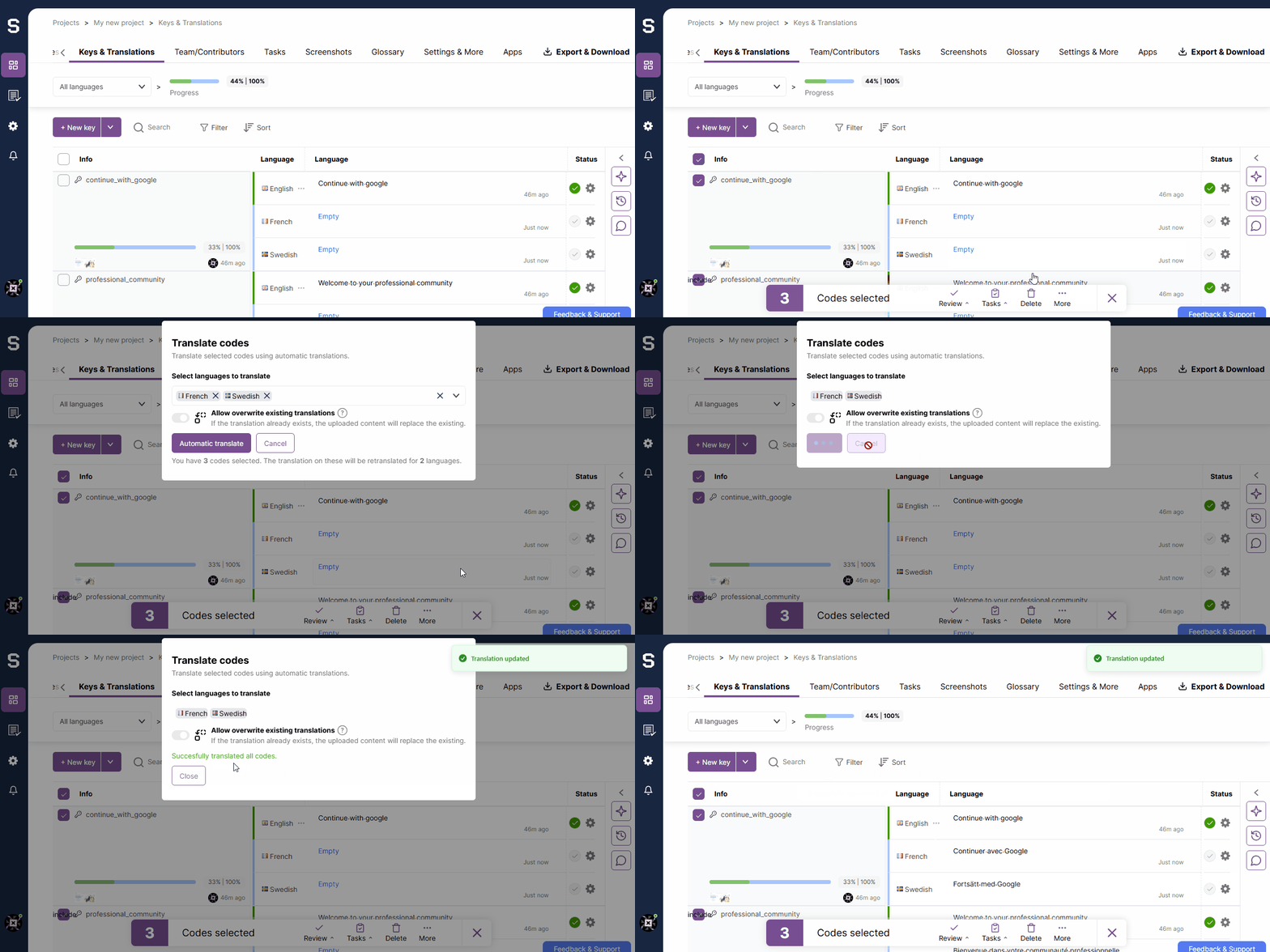
From the editor, you can run AI in bulk on any selection of keys or an entire language. This is useful when:
- You’ve updated your base language
- You’ve imported new keys
- You want to refresh translations in an older language variant
AI Suggestions in the Editor
While editing a translation manually, Sejhey can provide context-aware suggestions generated by GPT-4.1. These suggestions take into account:
- The source key and its context
- Glossary entries and tone settings
- The overall tone of the project (Defined in project settings)
Rephrasing & Shortening
You can ask AI to reword a translation to be:
- More natural
- Shorter (for UI constraints)
- More formal/informal
- Aligned with platform tone (e.g., mobile, enterprise)
This makes it easy to fine-tune content across platforms and use cases without needing native-speaking reviewers for every change.